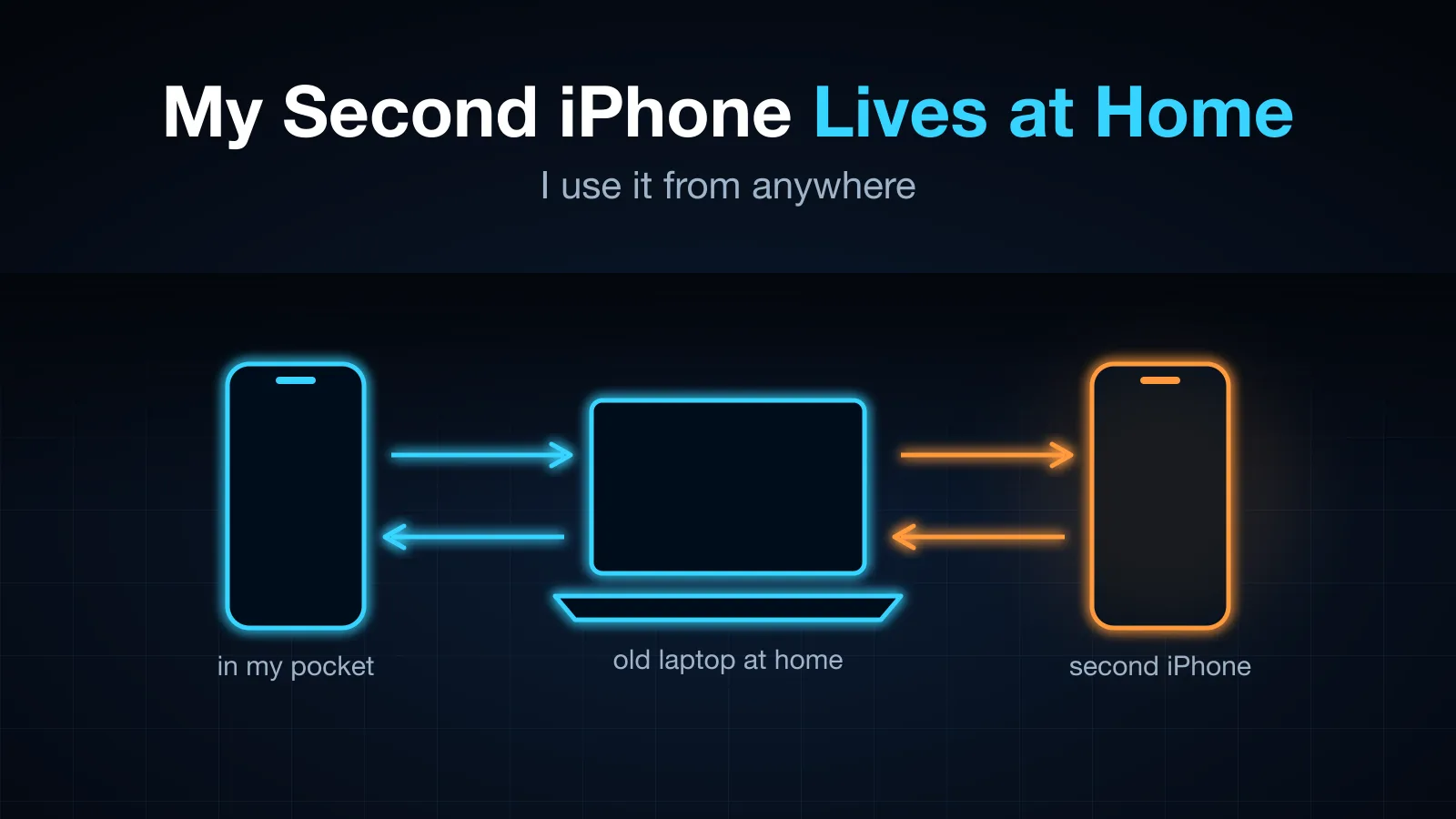
My Second iPhone Lives at Home. I Use It From Anywhere.
I have two numbers in two countries and stopped carrying two phones. The second iPhone stays at home, plugged into a 2016 laptop that pretends to be its Bluetooth keyboard, mouse and headset. I take its calls, answer its WeChat, and open its banking apps from my main phone, anywhere. No jailbreak. Here is how it works, and the five bugs that took the longest.
Table of Contents
I have two phone numbers in two countries. For a long time that meant two phones: one in my pocket, one in a drawer or a bag, and the second one was always the wrong one. A bank sends its code to the old number. A messaging account is tied to it. Someone who only has that number calls while it is at the bottom of a backpack on silent.
Moving the number somewhere else does not fix it. Call forwarding and virtual numbers keep the number, not the phone, and most of what I need from that phone is the apps on it: banking, WeChat, a government app, two-factor codes. Those apps know what device they live on. A new device or a foreign IP gets a verification wall, and sometimes a frozen account.
So the second iPhone now lives at home, plugged into an old laptop, and I use it from my main phone wherever I am. When it rings, my phone rings. I answer, and I am on the call. I can scroll its WeChat, read its texts, open its banking app. The phone is stock: no jailbreak, no device management profile, no app of mine on it.
This post is how that works, and the bugs that took the longest.
What it does
| On the phone at home | What I get on my main phone |
|---|---|
| A cellular call rings | A normal incoming-call screen, even locked; answer and the call is live |
| A WeChat voice or video call rings | The same, with the caller’s name |
| Anything on screen | The live screen (the re-encode adds about 50 ms), with touch, typing and swipes |
| Its microphone and speaker during a call | My microphone and speaker |
| It locks, loses its mirror, or something hangs | It fixes itself; if it cannot, I get a notification |
How it is wired
 main iPhone (anywhere)                         home: old laptop (Ubuntu)                       second iPhone
 ─────────────────────                          ─────────────────────────                       ─────────────
 TracePort app  ◄── video + call audio ──────  Sunshine ◄─ GPU re-encode ◄─ USB screen feed ◄─  screen
               ─── taps / keys ───────────────►  Bluetooth adapter #1 (keyboard + mouse) ─────►  input
               ─── microphone ────────────────►  Bluetooth adapter #2 (hands-free headset) ◄──►  call audio
 incoming-call  ◄── VoIP push ─────────────────  call watcher  ◄── hands-free signalling ──────  cellular call
 screen                                                         ◄── ANCS (BLE notifications) ──  WeChat call
                      (remote access over Tailscale; nothing else leaves the house)
The screen. Over USB the iPhone will hand over its own H.264 stream, the same feed macOS uses for QuickTime screen recording. That stream is 20 to 50 Mbit/s and its keyframes come when the phone feels like it, which is fine on a desk and hopeless over a cellular link. The laptop’s integrated GPU decodes and re-encodes it to a few Mbit/s with keyframes on demand, and a fork of Sunshine streams it to TracePort, my fork of the Moonlight iOS client.
Input. The laptop’s built-in Bluetooth pretends to be a keyboard and a mouse. With AssistiveTouch turned on, iOS draws a pointer for a Bluetooth mouse, so a tap on my screen becomes the pointer moving to that spot and clicking. Typing is a real keyboard, which also means Chinese input works.
Calls. A second Bluetooth adapter, a USB dongle, pretends to be a hands-free headset, the same profile a car uses. When a call is up, the phone sends its audio to the “headset” in 7.5 ms frames of wideband audio. The gateway decodes it, sends it down the stream, and plays my microphone, arriving over the network, back into the call.
Ringing. Cellular calls announce themselves over that hands-free link, with the caller’s number. WeChat calls do not always, so the dongle also speaks ANCS, the Bluetooth LE service Apple built for smartwatches: once paired, the phone sends it every notification, including “X is inviting you to a voice call” with Accept and Decline buttons. Either way, the gateway sends my main phone an Apple VoIP push, and the TracePort app shows the system incoming-call screen. Answering there makes the gateway answer at home (or press Accept on the notification), and the phone’s screen opens with the call already live.
Unattended. The phone is in another room, or another country, so nothing can need a person. The gateway unlocks the phone when it locks, recognises the dialogs that block the mirror and taps through them, restarts any of its own services that stop making progress, falls back to AirPlay if USB capture dies, and switches back when it returns. When it really needs me, it pushes a notification to the same app.
The gateway is about 12,000 lines of Rust. It started as a pile of Python scripts.
The five bugs that took the longest
1. The voice that fell further and further behind
On long calls and long videos, the sound slowly drifted behind the picture: fine at first, a second late after a few minutes, several seconds later on. Reconnecting fixed it. Muting and unmuting did not.
The tempting fix was a smaller buffer. The real cause was two clocks and a queue nobody measured. The phone’s audio arrives at the phone’s rate; the virtual sound card on the laptop that plays it out ran about 0.03% slower. Nothing in the pipeline reconciled the two, so the difference queued in a pipe no counter looked at, and every brief stall (switching videos) added a delay that never drained, because both ends run at real time. The fix was rate matching: measure how much is waiting, and when it grows past a target, thin it out by one sample in 256 until it is back. After that, an hour of playback stayed within about 100 ms. (The full story.)
2. The Bluetooth accessory iOS refused to show
ANCS needs the phone to pair with the gateway over Bluetooth LE, from the phone’s Bluetooth settings. The gateway advertised exactly what Apple’s specification describes: a request for the notification service. The iPhone never listed it.
Two things were in the way. iOS Settings only lists LE accessories that look like something it knows, a keyboard or a headset, and an accessory that only asks for notifications is invisible. And the dongle was advertising from the same address as the already-paired hands-free headset, so iOS treated it as that device. The advertisement now also claims a keyboard appearance, and the dongle uses a private random address for LE. It appeared, paired, and asked “Allow notifications?”.
One more surprise: pairing over LE quietly re-derived the classic Bluetooth key the headset was using (cross-transport key derivation, working as designed). Both sides updated and nothing broke, but I learned to back up /var/lib/bluetooth before pairing anything.
3. The decoder that kept one frame for itself
On a still screen, sound and picture drifted apart by seconds; on a busy screen they were fine. The GPU decoder was holding on to the last frame until the next one arrived, so on a screen that changes once every few seconds, every update showed up one update late. A still screen is the normal case for a phone: you are reading. Moving to a different VA-API decoder, run in its low-latency mode, fixed it.
4. The first connection that always timed out
For a while, the first connection showed nothing for ten seconds and gave up; the second one worked instantly. The re-encoder had quietly fallen back to passing the phone’s stream through untouched, and in that mode a new viewer waits for the phone’s next keyframe, which a still screen never sends.
It had fallen back because the GPU would no longer start. The pipeline was being restarted on purpose to produce a keyframe, and each restart left behind a thread waiting forever for a message from a pipeline that no longer existed. A burst of restarts, then a day of failed retries that each leaked one more, left 500 of them, and every new GPU pipeline failed. (The full story.) The threads now exit with their pipeline, restarts are rate-limited, the pass-through mode replays the latest frames to a new viewer, and a failure to start the GPU is logged every ten minutes instead of once.
5. Hanging up, and then one more ring
After declining a call, my phone rang once more for a split second. The gateway, seeing the call end at home, sent an “ended” push. By then the app had already finished the call, and Apple requires every VoIP push to be reported as a call, so the app had to report it and end it again: a flash of a second ring. The gateway now remembers which calls the app itself answered, declined or handed over, and does not push their end.
What it costs to run
A phone left on its charger, a laptop that was going to be thrown away, and a USB Bluetooth dongle. Remote access goes over Tailscale; the only thing that leaves the house is the push that rings my main phone.
What is next
I use this every day. I am working on making it something other people can set up without reading this post: a preconfigured gateway, and the push and remote-access parts hosted.
TracePort, the iOS app, is free on the App Store and open source on GitHub.
🎧 More Ways to Consume This Content
I occasionally advise small teams on backend reliability, Go performance, and production AI systems. Learn more: /services
Comments
This space is waiting for your voice.
Comments will be supported shortly. Stay connected for updates!
This section will display user comments from various platforms like X, Reddit, YouTube, and more. Comments will be curated for quality and relevance.
Have questions? Reach out through:
Want to see your comment featured? Mention us on X or tag us on Reddit.