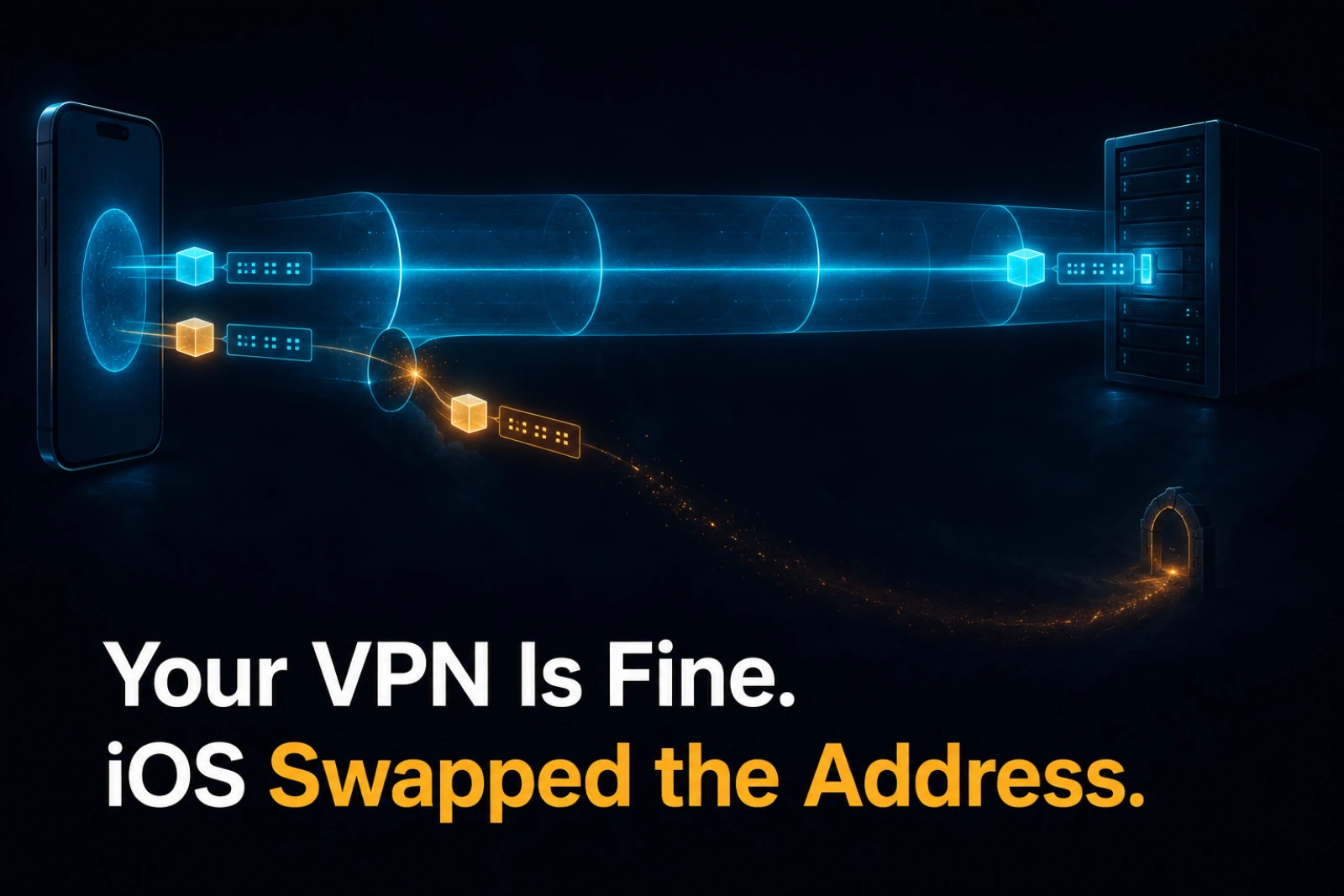
Your VPN Is Fine. iOS Swapped the Address.
One app, one host, one cellular connection. The HTTP calls reach the server and the streaming connection times out with no error anywhere. Nothing is misconfigured. On an IPv6-only cellular network, getaddrinfo() on an IPv4 VPN literal returns a synthesized NAT64 address that routes straight out of the tunnel, and only the code path that resolves the address itself is affected. This is a field note on recognizing that failure, not discovering it.
Table of Contents
Here is a failure that survives every reasonable thing you can check.
One app, on an iPhone, on cellular data, talking to a machine on your own VPN. The app pairs. It fetches the host’s info. It loads the list of things you can launch. Then the one connection that actually matters, the streaming session, hangs for ten seconds and times out. Switch the phone to Wi-Fi and everything works. Switch back to cellular and it dies again, in the same place, every time.
So you check the obvious things, and they are all fine. The server’s ports are bound and listening. The firewall is off. The VPN is up. From a browser on the same phone, over the same cellular connection, you can open the exact host and port the app is failing to reach. It loads instantly. You push a few hundred kilobytes through the tunnel in both directions and it arrives without a stall. Every network path you can test is clean. And one specific connection, in one specific app, still refuses to complete, with a timeout that names nothing.
This is not a story about finding a bug. The bug was found and fixed upstream a year before I ran into it, and I will get to that. It is a story about a failure mode that is nearly impossible to recognize from the inside, and about the one observation that makes it obvious.
On an IPv6-only network,
getaddrinfo()on an IPv4 literal does not hand you back that IPv4. It hands you a synthesized IPv6 address that the carrier will translate on the way out. If the literal was a VPN address, its synthesized form is outside the VPN’s routes, so the packet leaves the tunnel and dies at the carrier’s gateway. Nothing is misconfigured, and nothing logs an error. The bug lives in an address you were never shown.
The unit is unfamiliar, the shape is old
This is a networking field note rather than a first-principles essay, but the reason it is worth writing is the same reason a wrong ruler is worse than no ruler: the evidence you have is not the evidence you need, and it points confidently in the wrong direction. Every signal here reads as the network is fine or the connection timed out, and both are true and neither helps. The connection did time out. The network was fine. The address changed under you, silently, in one of the two code paths, and no instrument in your normal kit is pointed at that.
The symptom fingerprint
Before any capture, the shape of the failure already rules out most of what you would guess. Write it down as a fingerprint, because recognizing it is the entire skill here:
- It fails on cellular and works on Wi-Fi.
- Inside a single app, one protocol works and another does not.
- The server is provably reachable at the same address and port from a different client on the same phone.
Here is what I verified was not the problem, all on cellular, before I stopped guessing and started capturing:
| Check | Result |
|---|---|
| Server ports bound, both address families | listening on all interfaces |
| macOS firewall and VPN shields | off |
| Same host and port in Safari, over cellular | opens instantly |
| ICMP through the tunnel | fine |
| TCP both directions through the tunnel | fine, a few hundred KB in a quarter second |
| The streaming handshake reaching the host | never arrives |
The last row is the tell. Not arrives and is rejected. Not arrives late. Never arrives. The server never logs the incoming connection at all, while HTTP requests from the same app keep landing normally throughout. One app is reaching the host on some connections and, on one connection, sending packets somewhere the host never sees.
Why one app splits into two destinations
Everything turns on a detail that is invisible unless you already know to look for it: the two kinds of connection are built two different ways.
The HTTP calls, the ones that pair and fetch info and load the launch list, go through the platform’s high-level networking, NSURLSession and CFNetwork. You hand that stack an IPv4 literal and it hands the literal to the system, and the VPN routes it the way it routes everything else. It works.
The streaming connection does not use that stack. It resolves the address itself, in portable C, with getaddrinfo(). And on an IPv6-only network with NAT64/DNS64, getaddrinfo() on an IPv4 literal does something most people have never had a reason to notice. It does not return the IPv4 you passed. It returns a synthesized IPv6 address: the carrier’s NAT64 prefix with your IPv4 embedded in the low bytes, so that IPv6-only clients can still reach IPv4-only hosts. That is a genuinely useful feature, and for a public IPv4 host it is exactly what you want.
But your VPN address is not a public host. When the IPv4 literal is a VPN range address and it gets synthesized into a NAT64 IPv6 address, the result is no longer inside the VPN’s routes. It matches the carrier’s prefix, so it leaves the tunnel entirely, goes to the carrier’s NAT64 gateway, and the gateway tries to find a CGNAT address on the public internet that does not exist there. The SYN retransmits into silence until the ten second timer fires.
Same app. Same host. Same second. Two code paths. Two destinations.
flowchart LR
  APP["Same app, one host:
an IPv4 VPN literal"] --> H["HTTP: pair, info, launch"]
  APP --> R["Streaming: RTSP"]
  H --> CF["CFNetwork / NSURLSession
passes the literal through"]
  CF --> VPN["VPN routes it inside the tunnel"]
  VPN --> OK["Reaches the host ✅"]
  R --> GAI["getaddrinfo() on the IPv4 literal"]
  GAI --> SYN["iOS synthesizes a NAT64 IPv6"]
  SYN --> ESC["Synthesized address is
outside the VPN routes"]
  ESC --> GW["Leaves the tunnel, dies at
the carrier NAT64 gateway ❌"]
This is the part readers will not have seen before, and it is why the failure is so disorienting. The two connections do not disagree about the address. They were both given the same address. They disagree about what resolving it means, and only one of them resolves it at a layer where the carrier can rewrite it.
Reading a synthesized address by eye
Once you have a capture, you can confirm all of this without any tooling beyond arithmetic, because NAT64 does not hide the IPv4. It embeds it. The synthesized address is the carrier’s prefix followed by the original IPv4 written straight into the low 32 bits, one byte per octet, in hex.
Take the well-known NAT64 prefix 64:ff9b::/96 and a documentation address 192.0.2.33. The synthesized form is 64:ff9b::c000:221, and those trailing hex digits are the address itself: c0 00 02 21 is 192 0 2 33. Any address you see that ends in the hex of a familiar IPv4 of yours, sitting inside a /96 prefix that is not one you configured, is a synthesized address. In my capture the streaming SYN went to a prefix I had never set, and its low four bytes were my host’s VPN IPv4 in hex. The client never dialed the address I gave it.
Here is the masked shape of what the capture showed, host address written as 100.a.b.c, carrier prefix as <nat64>, phone as <phone>. Same capture, same host, same few seconds:
# Streaming (RTSP): synthesized IPv6, retransmits into silence, then ETIMEDOUT
IP6 <phone> > <nat64>::<hex(100.a.b.c)>.48010: Flags [S]      # SYN
IP6 <phone> > <nat64>::<hex(100.a.b.c)>.48010: Flags [S]      # +1s, same seq
IP6 <phone> > <nat64>::<hex(100.a.b.c)>.48010: Flags [S]      # +2s, same seq
... 7 retransmits, no reply ...

# HTTPS to the SAME host, same capture: plain IPv4, inside the tunnel, works
IP  <phone> > 100.a.b.c.47984: Flags [S]  ->  SYN-ACK, session proceeds
I posted the full masked capture and analysis to the upstream issue this failure belongs to, moonlight-ios #669, where it had sat open since 2025 with plenty of me too and no root cause. The addresses there are masked the same way, structure kept verbatim, values replaced. Never publish the raw capture. Thirty seconds of a phone’s traffic is thirty seconds of everything else the phone was doing.
The capture recipe
You cannot run a normal packet capture on an iPhone, but you can mirror its traffic to a Mac over USB with a Remote Virtual Interface, which ships with Xcode. Two commands:
rvictl -s <device-UDID>          # creates rvi0, mirroring the phone
sudo tcpdump -n -i rvi0          # capture; -n so it does not rewrite what you are trying to read
One trap worth stating, because it cost me time. Capture full frames. If you truncate with a small snapshot length, the PKTAP encapsulation that carries these packets does not survive the truncation and your capture becomes unreadable. Let it capture whole packets and filter later.
And validate the instrument before you trust its silence. When I first saw no packets at all on the failing path, that was almost a conclusion, and it would have been the wrong one, because a capture on the wrong interface also shows no packets. The rule is the same one that runs through everything I write about verification: confirm the check can see a case it should see before you believe it about a case it should not. Capture a working connection first. If the tool shows you the packets you know are there, then its silence on the broken path means something.
A note on the error code, because it lies too
The streaming failure surfaced as error 60, ETIMEDOUT. It is tempting to read that as connected, but got no reply, and I did read it that way for a while, and it sent me looking in the wrong place. On Apple platforms ETIMEDOUT is produced by two entirely different paths: the receive timeout after a connection is established, and the connect timeout itself, because a TCP connect that never completes also ends in ETIMEDOUT. The same number, 60, means both never connected and connected and heard nothing. You cannot tell them apart from the code. Here it was the first one, and the code implied the second. It is a small, sharp example of a signal that is present, precise, and not diagnostic.
The fix, and the general escape
The direct fix is to hand the client an address it cannot synthesize. On an IPv6-only network the host’s own IPv6 literal is passed through untouched, so pointing the client at the IPv6 address keeps the traffic inside the tunnel where it belongs. In this particular app that meant two things together: put the server in dual-stack mode so it actually listens on IPv6, and delete every existing IPv4 host entry on the client before adding the IPv6 one, because as long as a synthesizable IPv4 entry is still around the client will fall back to it and get synthesized again. I watched exactly that happen, an IPv6 entry added next to the old IPv4 one, capture still showing the synthesized destination.
The library-level fix, the one that belongs in the client rather than in your config, is more interesting because of what it gets right. The naive version is to notice the address is an IPv4 literal and force the resolver to keep it verbatim. That works for your VPN and quietly breaks every legitimate public IPv4 host that genuinely needs synthesizing to be reachable from an IPv6-only network. The correct version scopes the fallback: keep the raw IPv4 only when the literal is in a private or CGNAT range, because those addresses do not exist on the public internet and there was never any point synthesizing them. That is what moonlight-common-c shipped in July 2025, and it is a small lesson worth keeping: the fix that looks more thorough, the one that turns the feature off, is often the one that drops an entire class of users on the floor.
What was actually scarce
Nothing in this failure was misconfigured. The VPN was routing correctly. The server was listening correctly. The app was, in a sense, behaving correctly on both paths. Every log said either fine or timed out, and both were honest. The defect was a silent address substitution that happened in one of two code paths, at a layer none of the normal instruments were pointed at, and it left no error anywhere because from each layer’s own point of view nothing had gone wrong.
The value here was never the fix. The fix existed, upstream, a year before I hit the wall, in a commit whose message describes this exact situation. What was scarce was recognition: seeing the fingerprint, distrusting the timeout, distrusting the error code, and getting an eye on the one address the software never printed. If you self-host anything behind a VPN and reach it from a phone on cellular, this failure is waiting for you, and now it has a shape you can name.
There is a second, stranger half to this story. That upstream fix has existed for over a year and still has not reached the users hitting this bug, because of a single unbumped pointer in a dependency graph. That one is about delivery rather than diagnosis, and I will take it up separately.
This is a Network Field Note. It shares its spine with the correctness pieces on this site: A Wrong Ruler Is Worse Than No Ruler on trusting the wrong signal, and Validation Is a Loop, Not an Assertion on proving your instrument can see before you believe its silence.
🎧 More Ways to Consume This Content
I occasionally advise small teams on backend reliability, Go performance, and production AI systems. Learn more: /services
Comments
This space is waiting for your voice.
Comments will be supported shortly. Stay connected for updates!
This section will display user comments from various platforms like X, Reddit, YouTube, and more. Comments will be curated for quality and relevance.
Have questions? Reach out through:
Want to see your comment featured? Mention us on X or tag us on Reddit.