The Bluetooth Accessory iOS Would Not Show
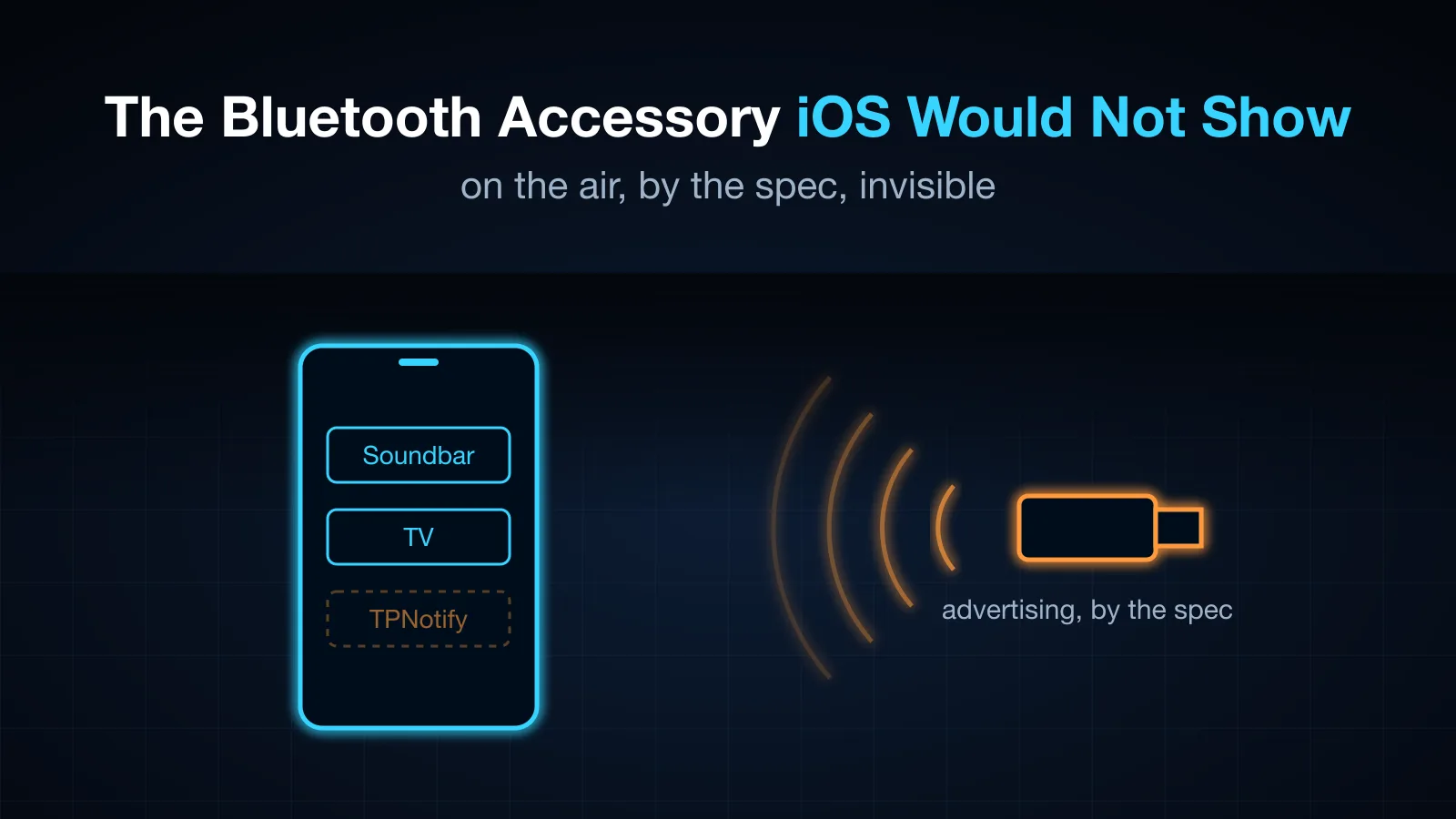
I wanted a Linux box to receive an iPhone's notifications over ANCS, the Bluetooth LE service Apple built for smartwatches. The advertisement was exactly what the spec describes, btmon confirmed it was on the air, and the iPhone never listed it. Two changes made it appear: a private address and a keyboard costume. Then a pairing prompt, an 'Allow notifications?' question, a subscription that had to be made twice, and a classic Bluetooth key that quietly changed underneath a working headset.
Table of Contents
My second iPhone lives at home, plugged into an old Linux laptop, and I use it from my main phone (the setup). When it rings, my main phone has to ring too. Cellular calls were easy: the laptop is the phone’s Bluetooth hands-free headset, and a headset is told about incoming calls. WeChat calls were not. On this phone they arrive as a notification, and a headset never hears about notifications.
Something does: a smartwatch. Apple’s ANCS, the Apple Notification Center Service, sends every notification on the phone to a paired Bluetooth LE accessory: which app, the title, the text, and the buttons on it. For a WeChat call that is com.tencent.xin, “wolf2079 is inviting you to a voice call”, with Accept and Decline. If the laptop could be that accessory, it could ring my main phone and even press Accept.
The laptop has a spare Bluetooth radio, a USB dongle that already serves as the hands-free headset. (It has a second radio too, the built-in Intel one that plays keyboard and mouse. That one once needed a full power cut to recover from an experiment, so nothing new runs on it.)
Doing it by the spec
ANCS is unusual. The phone is the GATT server (it has the notifications) but the accessory does not connect to the phone. The accessory advertises, asks for ANCS in its advertisement with a service solicitation, and waits for the phone to connect to it. You pair from the iPhone’s Bluetooth settings, iOS asks whether to share notifications, and from then on the phone reconnects on its own.
With BlueZ that is an org.bluez.LEAdvertisement1 object registered on the adapter. Mine, from Rust over D-Bus:
#[zbus::interface(name = "org.bluez.LEAdvertisement1")]
impl Adv {
    #[zbus(property, name = "Type")]
    fn kind(&self) -> String { "peripheral".into() }
    #[zbus(property, name = "SolicitUUIDs")]
    fn solicit(&self) -> Vec<String> { vec!["7905f431-b5ce-4e99-a40f-4b1e122d00d0".into()] } // ANCS
    #[zbus(property, name = "LocalName")]
    fn local_name(&self) -> String { "TPNotify".into() }
    #[zbus(property, name = "Discoverable")]
    fn discoverable(&self) -> bool { true }
}
A 128-bit solicitation is 18 bytes of a 31-byte legacy advertisement, so the name has to be short or go into the scan response; BlueZ moved it there by itself.
I opened Settings → Bluetooth on the iPhone. Other Devices: a soundbar, a TV. No TPNotify. I left the page and came back to force a new scan. Nothing.
Is it even on the air?
Before changing anything I wanted to see what the radio was actually sending. btmon on that adapter, while the service registered its advertisement:
LE Set Extended Advertising Parameters
    Properties: 0x0013  Connectable, Scannable, Use legacy advertising PDUs: ADV_IND
    Min advertising interval: 1280.000 msec
    Own address type: Random
LE Set Advertising Set Random Address
    Advertising random address: 62:F6:7F:D6:AF:B6 (Resolvable)
LE Set Extended Advertising Data
    128-bit Service UUIDs: 1 entry
    Flags: 0x06  LE General Discoverable Mode, BR/EDR Not Supported
LE Set Extended Scan Response Data
    Name (complete): TPNotify
Connectable, discoverable, legacy PDUs any phone can read, the solicitation in the data and the name in the scan response. By the spec there was nothing wrong with it. (I took that capture after the change below, while it still was not showing up; before it, LE privacy was off, so the same advertisement went out from the adapter’s public address.)
Change 1: a different address
With LE privacy off, the advertisement went out from the dongle’s public address, the same address the iPhone already knew as TracePortCall, the hands-free headset it was paired with. Its Settings entry for TracePortCall had no “Share System Notifications” switch, so the phone was not treating it as a notifications accessory either. My guess was that iOS saw a known device’s address and filed the advertisement under it.
BlueZ can give an adapter LE privacy: LE traffic uses resolvable random addresses, while the classic address the headset uses stays the same. It has to be set while the adapter is powered off, so I did it with no call in progress, on that adapter only:
btmgmt -i hci0 power off
btmgmt -i hci0 privacy on
btmgmt -i hci0 power on
The advertisement now came from a random address (the capture above). The phone still did not list it.
Change 2: a keyboard costume
The devices iOS did list in Other Devices were all things it has a reason to talk to: a soundbar, a TV. My working theory became that iOS Settings only lists LE accessories that look like something it knows how to use, and a bare request for notifications is not one of them.
So the advertisement also claimed to be a keyboard: the HID service UUID and a keyboard appearance. Both fit in the 31 bytes next to the solicitation.
    #[zbus(property, name = "ServiceUUIDs")]
    fn services(&self) -> Vec<String> { vec!["1812".into()] }   // HID
    #[zbus(property, name = "Appearance")]
    fn appearance(&self) -> u16 { 0x03C1 }                       // keyboard
Back to Settings → Bluetooth. Under Other Devices: TPNotify.
I want to be precise about what this shows. I changed the address first and the costume second, and only the combination appeared. I have not gone back to test whether the costume alone would have been enough, and Apple does not document what Settings lists. The address change was the cheaper of the two to keep, so both stayed.
Pair, and allow
Tapping TPNotify started LE pairing, and the iPhone asked for a numeric comparison: “TracePortCall would like to pair with your iPhone. Confirm that the code 592302 is shown on TracePortCall.” (Note the name: after connecting, the phone reads the device name over GATT, and BlueZ serves the adapter’s name, which is TracePortCall. The advertised “TPNotify” only lives in the scan list.) A BlueZ agent registered with the KeyboardDisplay capability confirmed on the laptop’s side, and I tapped Pair.
Then the question everything had been for: “Allow TracePortCall to receive your iPhone notifications?” Allow.
Subscribed, and silent
The gateway was already watching for the phone’s GATT services. As soon as ANCS appeared on the connected device it subscribed, Data Source first, then Notification Source, the order the spec asks for, and logged success.
Nothing came. Not one event.
The subscription had been made in the seconds between pairing and tapping Allow. Restarting the service, which subscribed again after the permission existed, produced the burst ANCS sends on connect: one event per notification already on the phone, each flagged pre-existing:
ancs: first notification event from the phone (kind 0 flags 0x15 category 0)
ancs: com.apple.MobileSMS cat 4: … (56 chars) [ / Clear]
ancs: com.google.Gmail cat 0: … (150 chars) [ / Clear]
So: subscribe after the user allows. I restarted the service by hand; a robust client should resubscribe when a fresh subscription stays silent. Since then the bond has persisted, and the phone reconnects and the subscription works on every restart.
The protocol, briefly
Three characteristics do everything:
- Notification Source sends 8 bytes per event: added / modified / removed, flags (silent, important, pre-existing, has a positive or negative action), a category (incoming call, missed call, social, email…), and a 32-bit notification ID.
- Control Point takes requests. Get Notification Attributes names the ID and the attributes wanted: app identifier, title (with a maximum length), message, and the labels of the positive and negative actions.
- Data Source answers, in as many GATT notifications as it takes. Each attribute is an ID, a 16-bit length and the bytes, so the answer has to be reassembled before it can be parsed.
Perform Notification Action on the Control Point presses a button: 0 for positive, 1 for negative. For a call that is answer or decline, from a laptop in another room.
The call itself, as the gateway logs it:
ancs: com.tencent.xin cat 1: wolf2079邀请你语音通话 (2 chars) [接听 / 拒绝]
ancs call 41331F56…: ring wolf2079邀请你语音通话 (wechat)
ancs call 41331F56…: pressed accept
Category 1 is incoming call, so this version of WeChat uses the system call interface, and Accept / Decline really answer and decline.
The key that changed underneath
One more thing happened during pairing that I only noticed because I had backed up /var/lib/bluetooth first. The classic link key for the phone, the one the hands-free headset had been using for weeks, was different afterwards.
That is cross-transport key derivation working as designed: pairing over LE derived a fresh classic key for the same device, and the phone updated its side too. The headset reconnected and calls worked. But if the phone had not followed, the headset would have needed re-pairing, and I would not have known why. Back up the bond directory before pairing anything new with a device that already matters.
Two things ANCS will not tell you
- A Focus on the phone silences the call entirely. With Do Not Disturb on, WeChat posted nothing while the call rang, only a missed call afterwards. ANCS had nothing to forward.
- An app in front posts no notification. With WeChat open, an incoming call is WeChat’s own banner inside the app, and ANCS sees nothing. Catching that took a different signal: the phone opens the headset audio channel for the ringtone. The gateway then looks for the banner’s buttons through WebDriverAgent. That is a story for another post.
What I took from it
- Check the radio, not the code.
btmonsettled “is it advertising?” in a minute and kept me from rewriting a correct advertisement. - Settings is a filter, not a scanner. What iOS lists is a product decision, not the set of devices in range. Looking like a known kind of device got through it.
- Permission and subscription are ordered. A subscription made before the user allows sharing stays silent; resubscribe after.
- A new pairing can change an old one. Back up the keys first.
🎧 More Ways to Consume This Content
I occasionally advise small teams on backend reliability, Go performance, and production AI systems. Learn more: /services
Comments
This space is waiting for your voice.
Comments will be supported shortly. Stay connected for updates!
This section will display user comments from various platforms like X, Reddit, YouTube, and more. Comments will be curated for quality and relevance.
Have questions? Reach out through:
Want to see your comment featured? Mention us on X or tag us on Reddit.