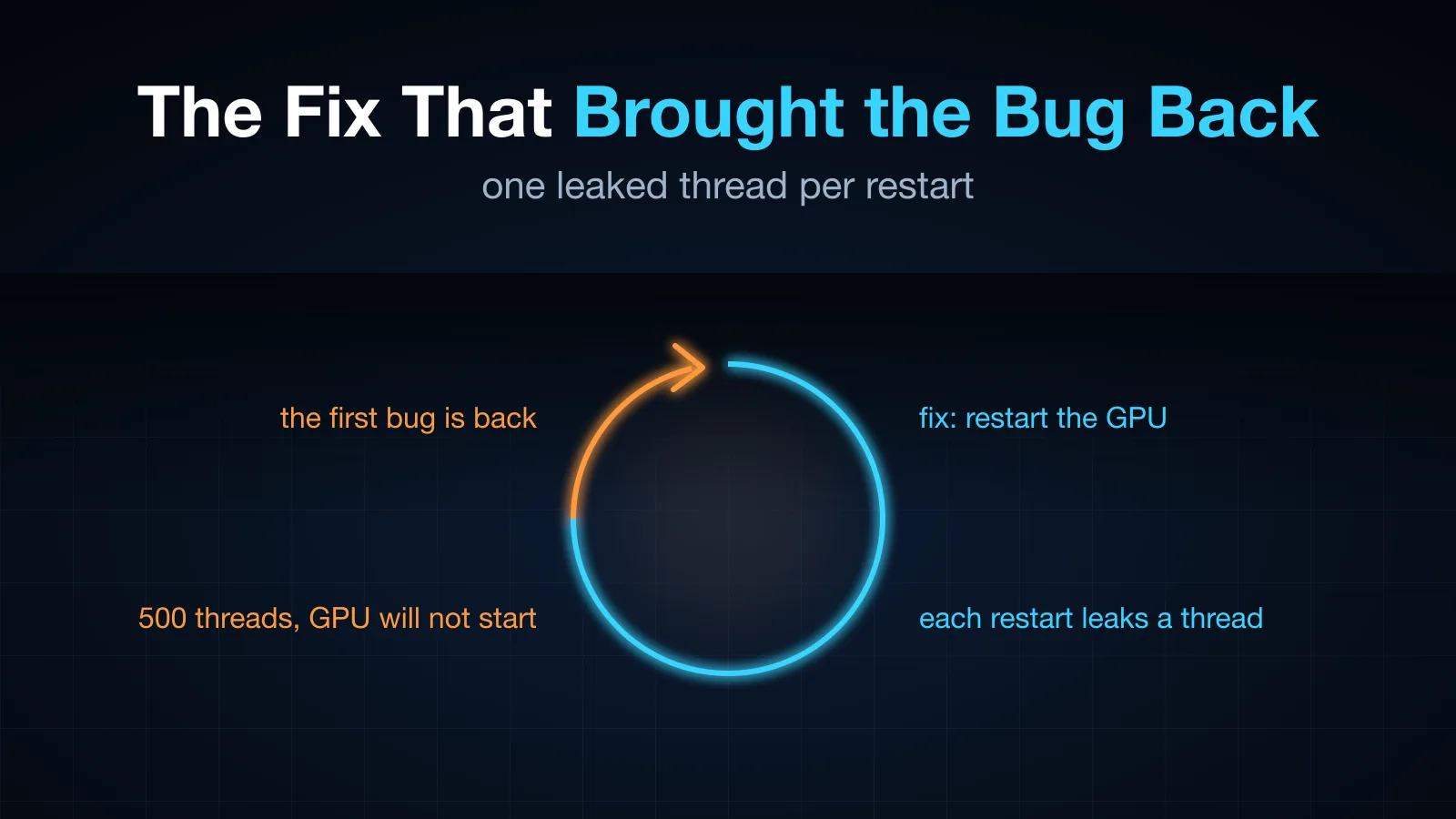
The Fix That Brought the Bug Back
The first connection to my phone stream showed nothing for ten seconds and gave up; the second worked instantly. I fixed it by restarting the GPU pipeline to replay a cache. Two days later the bug was back, caused by that fix: a restart storm leaked 500 threads, the GPU stopped starting, the transcoder quietly fell back to a mode without the cache, and a log line that only fired once kept it hidden for 17 hours.
Table of Contents
I use a second iPhone at home through a stream (the setup): the phone’s screen comes off USB as H.264, an old laptop’s GPU re-encodes it, and a fork of Sunshine streams it to my main phone. The bug in this post appeared twice. The second time, my fix for the first one was the cause.
Round one: nothing for ten seconds
Connecting to the phone was slow. Sometimes the picture took a couple of seconds; sometimes the client gave up after ten:
Connection started
Connection terminated: -100        (ten seconds later: no video traffic)
Reconnecting usually worked at once. The same client connecting to a Mac running Sunshine never did this.
The difference is where the picture comes from. Sunshine on a Mac captures the screen itself, so it has a picture the moment you connect. On the phone gateway, the picture is the phone’s own H.264, and the phone sends a frame only when its screen changes (why). An H.264 decoder can only start at a keyframe. So a viewer who connected to a still screen waited for the phone’s next keyframe, which a still screen never sends. In the transcoder’s log: a client connected, received zero frames in four seconds, and left.
The fix: remember the picture
The transcoder now keeps the phone’s latest keyframe and every frame after it (up to 900 frames or 60 MB), and wakes every 100 ms even when the phone is silent, so it notices new viewers. When one connects, it restarts the GPU pipeline and replays that cache into it. The encoder’s first output is a keyframe of the current screen.
The same trick serves the other case where a client needs a keyframe and the phone is quiet: after packet loss, the client asks for one, and the transcoder restarts and replays.
Time to first frame went from 1.4 s to between 56 and 176 ms. Replaying a few dozen cached frames takes about a millisecond. Done, I thought.
Round two: the same symptom, two days later
Then it was back. First connection, ten seconds of nothing, -100. Second connection, instant.
The app log said what it had said before. The transcoder log said something new. Every five seconds it reports its mode, and it was not reporting gpu:
passthrough: 1 client(s), in 0 kbit/s 0 fps → out 0 kbit/s 0 fps …
client 79 connected (starts at the next keyframe)
Passthrough is the fallback: if the GPU pipeline fails, forward the phone’s original stream untouched, so there is at least a picture. It had no cache replay, because replay worked by restarting the GPU. In passthrough, a new viewer waited for the phone’s next keyframe: exactly round one’s bug.
So the GPU was not running. Why?
Why the GPU would not start
Searching back for the moment the mode changed:
12:53:25 restarting the GPU to replay 59 cached frame(s) (keyframe asked while the phone is quiet)
12:53:26 restarting the GPU to replay 59 cached frame(s) (keyframe asked while the phone is quiet)
12:53:27 restarting the GPU to replay 59 cached frame(s) (keyframe asked while the phone is quiet)
12:53:28 restarting the GPU to replay 59 cached frame(s) (keyframe asked while the phone is quiet)
12:53:29 GPU encoder unavailable (Element failed to change its state) → passing the phone's stream through
A restart every second. A client that is not getting a picture keeps asking for a keyframe; with the phone quiet, each request restarted the GPU to replay the cache. Then, after a few, the GPU would not start at all, and never did again.
That was 17 hours earlier. The “GPU unavailable” line had been logged once. The transcoder retried every minute after that, failed every time, and said nothing, because the warning was guarded by a warned flag that was only reset on success.
The same pipeline started fine from the command line, outside the process:
gst-launch-1.0 videotestsrc num-buffers=60 ! … ! vaapih264enc ! h264parse ! vaapih264dec ! fakesink
Got EOS from element "pipeline0".
So the GPU was fine, and something inside the transcoder process was broken. Counting its threads:
510 threads
    500 gpu-bus
      3 serve-raw
      1 watchdog
      …
The thread that waited forever
Every GPU pipeline started a small thread to watch its bus for errors:
std::thread::spawn(move || {
    for msg in bus.iter_timed(gst::ClockTime::NONE) {   // wait for the next message, forever
        match msg.view() {
            gst::MessageView::Error(e) => { report(e); break; }
            gst::MessageView::Eos(_) => break,
            _ => {}
        }
    }
});
It ends on an error or on end-of-stream. When the transcoder replaces a pipeline, it sets the old one to NULL and drops it. A pipeline shut down that way posts neither, so iter_timed(NONE) never returns, and the thread lives on, holding the pipeline’s bus.
One leaked thread per restart is invisible when restarts happen a few times a day. The storm leaked one a second until the GPU stopped starting. And the thread is spawned before the pipeline is set to playing, so every failed retry afterwards, once a minute whenever a viewer was connected, leaked one more. By the time I looked there were 500. I did not dig into exactly which resource ran out first; the thread count was enough to act on.
So the chain was:
- The phone screen is still; a client gets no picture and asks for a keyframe, again and again.
- Each request restarts the GPU to replay the cache (round one’s fix).
- Each restart leaks a bus thread.
- After enough leaks the GPU will not start; the transcoder falls back to passthrough.
- Passthrough has no replay, so new viewers wait for a keyframe: round one’s bug.
- The fallback is logged once, then retried silently for 17 hours, each failed retry leaking another thread.
The fixes, one per link
The leak. The bus thread now polls with a timeout and exits as soon as its pipeline is dropped:
while !closed.load(Ordering::SeqCst) {                      // set by the pipeline's Drop
    let Some(msg) = bus.timed_pop(gst::ClockTime::from_mseconds(500)) else { continue };
    …
}
The storm. A keyframe request while the phone is quiet restarts the GPU at most once every 5 seconds.
The fallback. Passthrough now also replays the cache to a new viewer: the phone’s own frames since its last keyframe, sent under the same lock as the live stream so nothing is duplicated or missed. If the GPU fails again, the first connection still shows the screen at once.
The silence. “GPU unavailable” is logged every 10 minutes for as long as it is true.
After restarting the transcoder: new viewers got their first frame in 0.05 to 0.1 s, the mode stayed gpu, and the thread count stayed around 15 across repeated connections.
One edge remains: right after the transcoder itself restarts, before the phone has sent any keyframe, the cache is empty and the first viewer still waits for the phone. In daily use that window is rare.
What I would do differently
- A fix that restarts things needs a restart budget. Round one’s fix was correct, and it turned “client asks for a keyframe” into “tear down and rebuild a GPU pipeline”, with no limit on how often.
- Every thread needs a way to end. A wait with no timeout and no stop signal is a leak waiting for a loop to call it often enough.
- A fallback is a failure; log it like one. Passthrough did its job, kept a picture on screen, and hid a broken GPU for 17 hours, because the only sign of it was one line that scrolled away.
- Fallback paths need the same features as the main path. The cache replay lived in the GPU path only, so falling back silently removed the fix for round one.
- Check the process, not just the pipeline. The same pipeline worked from the command line. That pointed at state inside the process, and
ls /proc/<pid>/task | wc -lfound it.
🎧 More Ways to Consume This Content
I occasionally advise small teams on backend reliability, Go performance, and production AI systems. Learn more: /services
Comments
This space is waiting for your voice.
Comments will be supported shortly. Stay connected for updates!
This section will display user comments from various platforms like X, Reddit, YouTube, and more. Comments will be curated for quality and relevance.
Have questions? Reach out through:
Want to see your comment featured? Mention us on X or tag us on Reddit.